news | articles | reviews | software | modules | accessories | discussion | faq | mobile | store
VisorCentral.com >> Discussion >> Visor Related >> Accessories
How do you take off a Write Right?

Post a New Thread | Post A Reply

  Last Thread   Next Thread
Author
Topic: How do you take off a Write Right?    
bagelche
Member

Registered: Jan 2001
Location: Great Barrington, MA
Posts: 20

Question

Simple question, but I figured somebody would give good advice before I go and screw up my screen.

Is there an official way to remove to screen? A better alternative?

thanks,
bagelche

bagelche is offline Old Post 01-09-2001 10:41 PM
Click Here to See the Profile for bagelche Edit/Delete Message Reply w/Quote
thatch
Member

Registered: Jul 2000
Location: Dallas-area, Texas
Posts: 82

I use meduim-weight vinyl (report covers) on mine. They aren't sticky, or anything, but I just press lightly on the corners ad move inward. The sheet buckles and I can lift it off. Could you describe the shape of the WrightRights? Do they have a corner cut off?

And lastly, did you read the instructions that came with them?

__________________
Tim
<A HREF="http://vbq1.tripod.com/"></A>

thatch is offline Old Post 01-10-2001 12:41 AM
Click Here to See the Profile for thatch Edit/Delete Message Reply w/Quote
MarkEagle
VisorCentral Staff

Registered: Dec 1999
Location: Connecticut USA
Posts: 2682

To remove my homemade clear vinyl protectors, I use a small piece of tape about 3" long. Fold one end onto itself to create a "grip". Stick the other end in a corner of the protector and gently lift, pulling the protector up. You should then be able to grab it with your fingers for easy removal. This technique works well and also doesn't require needing to get "under" the protector with something (even a stylus tip) that could potentially scratch the screen.

__________________


    God bless America, my home sweet home...

MarkEagle is offline Old Post 01-10-2001 01:09 AM
Click Here to See the Profile for MarkEagle Edit/Delete Message Reply w/Quote
Confused
Member

Registered: Oct 2000
Location:
Posts: 29

Question

Am on my first homemade - courtesy Walmart vinyl ... but it is butt ugly. Now that I know how to get the darn thing off, what is the best way to cut to the screen shape/size ?

The vinyl bends, moves, slithers, shimmies, & sticks to everything but.

Not having even seen a commercial one, I just did my best to cover 100% of the glass; while it protects, it is UGLY at the edges.

Any & all hints appreciated

Confused is offline Old Post 01-10-2001 05:25 AM
Click Here to See the Profile for Confused Edit/Delete Message Reply w/Quote
tigger
Member

Registered: Jan 2001
Location: Ohio
Posts: 3

Thumbs up

Hello

I just picked up a WriteRight for my Visor. It fits great.
It also comes off real easy. you can get a hold of the corner and it just pulls off.
The one that you need to get for the Visor is the one that says for PalmPilot, PalmIII, PalmVII, IBM WorkPad, and Handspring Visor.
Hope this helps.

Tigger

tigger is offline Old Post 01-10-2001 01:41 PM
Click Here to See the Profile for tigger Edit/Delete Message Reply w/Quote
Scalpel
Member

Registered: Sep 1999
Location: Seattle, Wa, USA
Posts: 66

Just use the little plastic card included with the Writerights, and pick at the corner a bit. Once it lifts a little, pull it up with tweezers or your fingers, and it will pull right off.

Keep in mind that if you don't mind a little fuzziness, you can go up to four months between replacements of your Writeright.

__________________
"Scalpel"
Atomic Hyrax Games

Scalpel is offline Old Post 01-10-2001 05:24 PM
Click Here to See the Profile for Scalpel Edit/Delete Message Reply w/Quote
MPM
Member

Registered: Jun 2000
Location: Sunnyvale, CA
Posts: 216

Question

quote:
Originally posted by Confused
Am on my first homemade - courtesy Walmart vinyl ... but it is butt ugly. Now that I know how to get the darn thing off, what is the best way to cut to the screen shape/size ?

The vinyl bends, moves, slithers, shimmies, & sticks to everything but.

Not having even seen a commercial one, I just did my best to cover 100% of the glass; while it protects, it is UGLY at the edges.

Any & all hints appreciated


I'm a bit puzzled by your experience with vinyl. I too have a home made screen protector made from vinyl and I have none of the problems you mention. It certainly does not move around on the screen once I install it.

Here are some tips:

1) Make sure that the vinyl protector is cut to the correct size. Too bit and it will not lay flat at the edges.

2) Clean your screen off thoroughly before you apply the protector. I advise using lint free lens cleaning paper or cloth.

3) Wash your hands with a soap that does not leave any residue (Dawn works great) to remove most of the oil from your fingertips. Then wash the protector also.

4) Dry the protector by "flicking" the water off of it. Don't worry about leaving small drops on it. You actually want these.

5) Blow off you screen with a "dust-off" type pressurized gas. This removes the last very small peices of dirt and lint.

6) Apply the screen protector. First lay it down and line it up correctly but don't let go of it completely. Once it is lined up, peel it almost completely off from top to bottom.

7) Now use a smooth edge of a credit card to squeege the protector back down from bottom to top. The remaining water drops will help keep the bubbles out from under the vinyl.

This procedure should remove most of the dust and lint that gets trapped under the screen protector and that causes it too look ugly. It also keeps most bubbles from forming. If some still remain that are not caused by dust, just work them out toward the nearest edge with a credit card. The bubbles will also disapear in a few days by themselves.

Hope this helps.

MPM is offline Old Post 01-10-2001 09:12 PM
Click Here to See the Profile for MPM Edit/Delete Message Reply w/Quote
Confused
Member

Registered: Oct 2000
Location:
Posts: 29

quote:
Originally posted by MPM
quote:
Originally posted by Confused
Am on my first homemade - courtesy Walmart vinyl ... but it is butt ugly. Now that I know how to get the darn thing off, what is the best way to cut to the screen shape/size ?

...

Any & all hints appreciated


I'm a bit puzzled by your experience with vinyl. I too have a home made screen protector made from vinyl and I have none of the problems you mention. It certainly does not move around on the screen once I install it.

Here are some tips:

1) Make sure that the vinyl protector is cut to the correct size. Too bit and it will not lay flat at the edges.


I think my biggest problem is in getting a cleanly cut piece of vinyl to the perfect size ... What did u use for a template or did you ? Did u cut with exacto type blade or ???? What did u use for a cutting surface to minimize picking up all manner of crud and to hold it steady. Maybe its just cause i am all thumbs ;-)

Confused is offline Old Post 01-10-2001 11:23 PM
Click Here to See the Profile for Confused Edit/Delete Message Reply w/Quote
MPM
Member

Registered: Jun 2000
Location: Sunnyvale, CA
Posts: 216

Post

quote:
Originally posted by Confused
[QUOTE]...What did u use for a template or did you ? Did u cut with exacto type blade or ???? What did u use for a cutting surface to minimize picking up all manner of crud and to hold it steady. Maybe its just cause i am all thumbs ;-)


I measured the screen with a metal ruler that is accurate down to 1/64" of an inch and 0.5mm. You could also use calipers, but you need be carefull not to damage the touchscreen.

Here are my measurements: 2 13/32" (61mm) by 3 3/16" (81mm)

I cut my vinyl screen protectors to 2 3/8" (60mm) by 3 5/32" (80mm). I use a paper trimmer to cut the vinyl - not a paper cutter, sizzors, or a knife. Paper trimmers are usally small plastic devices that hold the paper down while you slide a blade down (or up) to cut the paper. I got mine for $13 at a stationary store.

Once I got the size right I cut about 10 protectors out. These will likely last me years. Since I started using vinyl screen protectors about 5 months ago, I'm just on my second one and it still has lots of life left in it.

One last tip: In some Visors the screen is not held tightly against the front plastic. If this happens at the bottom edge of the screen, then the vinyl can slip under the edge by about 1/8" when you install it. This then leads to a 1/8" gap a the top of the screen. So you have to watch out for this.

MPM is offline Old Post 01-11-2001 09:09 PM
Click Here to See the Profile for MPM Edit/Delete Message Reply w/Quote
Confused
Member

Registered: Oct 2000
Location:
Posts: 29

Talking

MPM ... thanks for sharing your experience. The paper trimmer sounds like the key to success !


now I am much less befuddled ;-)

Confused is offline Old Post 01-12-2001 04:04 AM
Click Here to See the Profile for Confused Edit/Delete Message Reply w/Quote
nitehawk
Member

Registered: Dec 1999
Location:
Posts: 54

How do I cut my vinyl to the right size?

Well... at first I used a peace of cardstock that I carefully cut to be about 1/16 inch smaller than the screen(I think its better to cut the vinyl a little smaller as it is easier to place and you wont notice the gap. Who writes on the very edges anyway?).
I then lay the vinyl on a clean cutting board and then lay the template on top of the vinyl. Use a razor blade to cut around the pattern and then procede to clean the vinyl and the screen. (I use a special cloth made by 3M, I think, anyway it is very fine weave cloth which absorbs any oil smudges or dust on the screen and vinyl) I don't use any water but mabie next time I'll try it. Be careful with what you use to smooth the vinyl down... I found that the credit card out of my wallet was scratching the vinyl, try a very stiff piece of card stock. (use your ingenuity)

Now I use a small block of wood cut to the right size and just lay it on the vinyl, press down firmly, and cut around it.

Just relax and take your time and you will get better at placing the vinyl on the screen.

Who cares if you screw up a piece of vinyl? For only a few pinnies just make another one. Much better than the comercial ones costing $2-3.

[Edited by nitehawk on 01-12-2001 at 12:21 AM]

nitehawk is offline Old Post 01-12-2001 05:17 AM
Click Here to See the Profile for nitehawk Edit/Delete Message Reply w/Quote
thatch
Member

Registered: Jul 2000
Location: Dallas-area, Texas
Posts: 82

I actually use the gap between screen and case to my advantage: I cut the protector so it slips under about 3/16" on eache edge except the bottom one. My screen is tight only on the bottom. I also cut out the lower left and right corners, and have to trim a little spot of the bottom near the to-do button to make it fit snugly.

__________________
Tim
<A HREF="http://vbq1.tripod.com/"></A>

thatch is offline Old Post 01-12-2001 06:21 PM
Click Here to See the Profile for thatch Edit/Delete Message Reply w/Quote
nitehawk
Member

Registered: Dec 1999
Location:
Posts: 54

OK... Thatch...

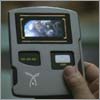
I'll bite,------------- what is THAT thing in your signature photo?

I've seen it in all of your posts and can't believe someone else hasn't asked... (looks cool, very high tech)

just sign me curious.

nitehawk is offline Old Post 01-13-2001 07:14 AM
Click Here to See the Profile for nitehawk Edit/Delete Message Reply w/Quote
thatch
Member

Registered: Jul 2000
Location: Dallas-area, Texas
Posts: 82

You're only about the eighth person to ask

It's a composite I did myself. I took a PADD from Star Trek Voyager (Tinker, Tenor, Doctor, Spy--the one that says "Dinner Tonight?") and added the HS logo with Photoshop. It took me about 30 minutes because I had to get all the angles just right. The earth image on the PADD is from one of those $1.00 CDs you find in Best Buy that has NASA's collection of FTP-able images on it.

Cool, yes-no?

__________________
Tim
<A HREF="http://vbq1.tripod.com/"></A>

thatch is offline Old Post 01-13-2001 06:35 PM
Click Here to See the Profile for thatch Edit/Delete Message Reply w/Quote
Visor Guy2
Member

Registered: Sep 2000
Location: Mountain View, CA
Posts: 211

Wink Very

I was going to post the same question, Very Cool.

Visor Guy2 is offline Old Post 01-17-2001 07:41 AM
Click Here to See the Profile for Visor Guy2 Edit/Delete Message Reply w/Quote
All times are GMT. The time now is 09:25 PM. Post New Thread    Post A Reply
  Last Thread   Next Thread
[ Show a Printable Version | Email This Page to Someone! | Receive updates to this thread ]

Forum Jump:

Powered by: vBulletin Version 2.3.4
Copyright ©2000, 2001, Jelsoft Enterprises Limited.